
Import and export of MySQL database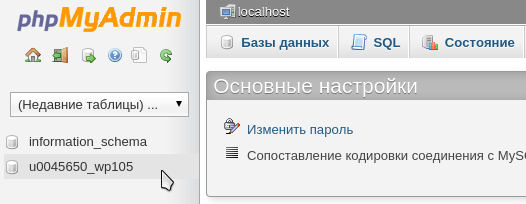
Export MySQL Database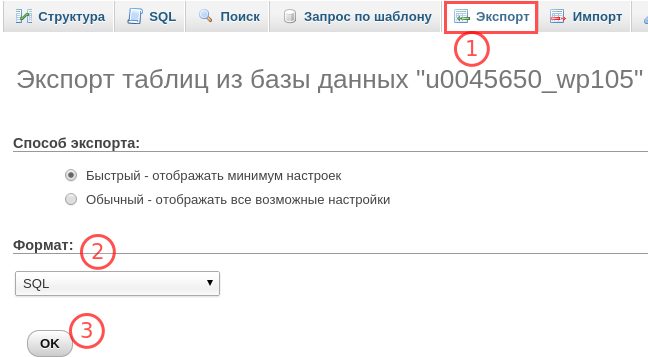
1.
Log in to phpMyAdmin and click on the name of the database you want to export:
2.
Go to the “Export” tab, select the SQL format and click OK:
Import MySQL Database
1.
Log in to phpMyAdmin and select the database into which the dump (database backup) will be imported:
2.
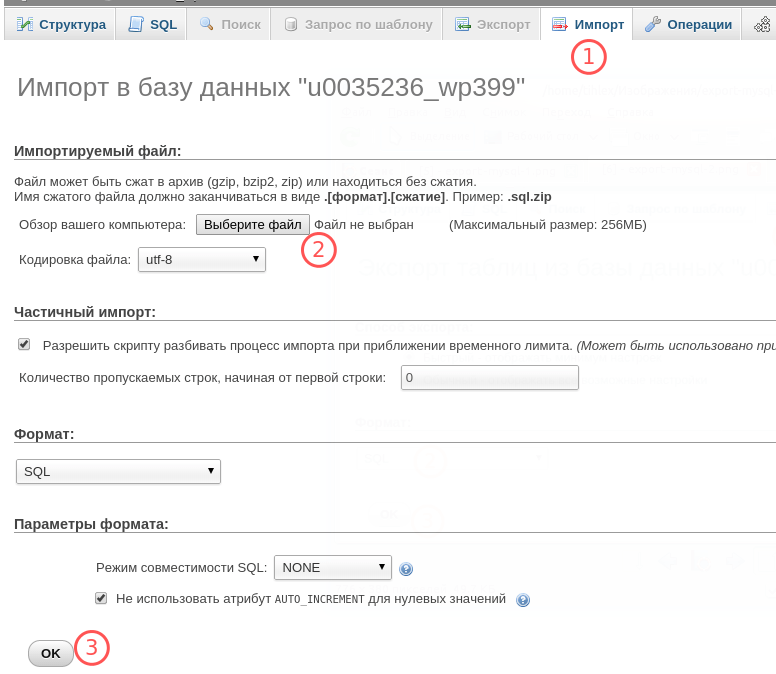
Go to the “Import” tab, click Select file and specify the database dump file. If necessary, change the encoding. Click OK:


